FootPrinter Program (FTP)
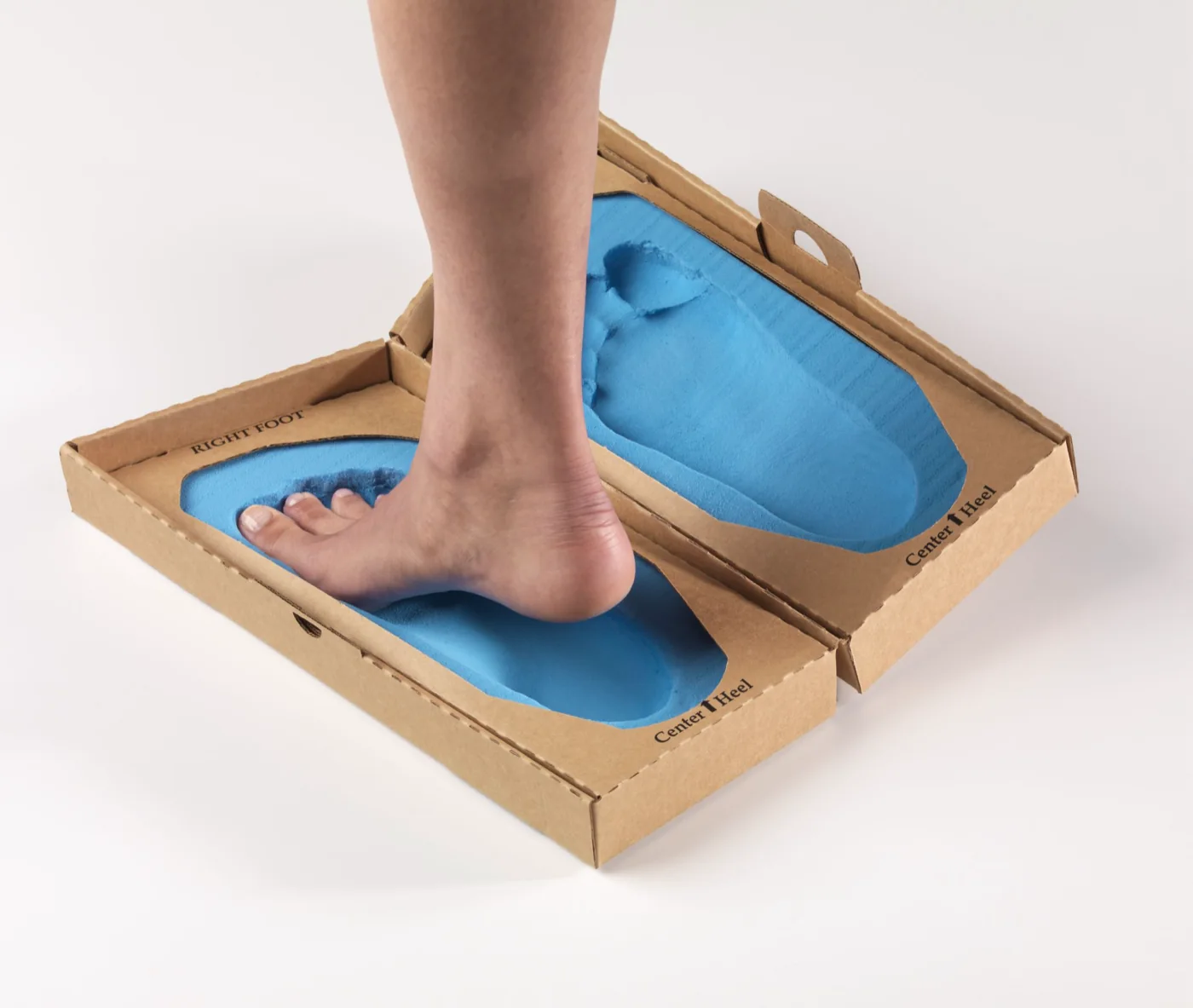
Capture a foam impression with the FootPrinter kit, then choose how to send it. Mail the impression to Amfit, or scan it with the Amfit Scan app and submit it digitally in a single click. Either way, the record is processed through Correct & Confirm and fabricated into finished orthotics, with no scanners or in-house production equipment required.
How It Works
01 Create impression
Use the FootPrinter foam kit to capture left and right impressions.
02 Send it your way
Mail the impression back to Amfit, or scan it with the Amfit Scan app and submit it digitally in a single click.
03 Review & fabricate
Every record is reviewed in Correct & Confirm before Amfit fabricates the orthotic.
04 Receive & deliver
Finished orthotics are shipped back to your practice for patient delivery.
A foam impression box for capturing left and right foot impressions, plus the shipping materials to return the kit to Amfit. No scanner or in-clinic equipment is required. If you would rather not mail the box, you can scan the impression with the Amfit Scan app on an iPhone or iPad and submit it digitally instead.
Two ways, and the choice is yours on every order. Mail the completed kit to Amfit's facility in Vancouver, WA using the return shipping label included with every kit. Or scan the impression with the Amfit Scan app and send it to Amfit in a single click, which skips mail transit entirely.
Mailed impressions are digitized on Amfit's Impress Scanner; app submissions arrive digital already. Either way the result is stored as a digital patient record, so reorders for the same patient can be placed at any time without recapturing the impression.
EVA, Cork/EVA, Carbon Fiber, and 3D Nylon. The full Amfit materials catalog is available through FTP.
Finished orthotics are typically shipped back to your practice within 3 to 7 business days after Amfit receives the impression. Every order is reviewed in Correct & Confirm before milling.
Use the FootPrinter Program to capture impressions and send them to Amfit, by mail or straight from the Amfit Scan app.